Life360 alternatives for privacy-minded families
By Vahe Mailyan, Founder, SafeLoop · · 8 min read
Full disclosure before anything else: I'm the founder of SafeLoop, which is one of the apps on this list. I'll tell you where the others are a better fit, because some of them are, and I'll link to the sources so you can check every claim about other companies yourself. Everything about competitors below was checked against their own published pages on October 13, 2026.
Why privacy-minded parents look past Life360
Life360 is the best-known family locator for a reason. It works on iPhone and Android, and its paid plans bundle real services like emergency dispatch and roadside assistance.
The hesitation for many parents is data. Life360's own privacy policy (last modified August 26, 2026) says it licenses "certain information, including precise geolocation data" to "select business partners for their own advertising and monetization purposes," and that this may count as a "sale" under some state privacy laws. To be fair, the same policy says Life360 does "not share or sell personal information of members we know to be under 18," and it gives adults in-app controls ("Your Privacy Choices") to opt out.
So the honest summary is: your kids' data is treated differently from yours, and you can opt yourself out. If that's enough for you, you may not need to switch at all (more on that at the end). If you'd rather use something where selling location data isn't part of the business model in the first place, read on.
What to look for in any family locator
Before comparing apps, it helps to know which questions to ask. These are the ones I'd ask of any app, including mine:
- Does the company sell or license location data, for anyone in the family? Search the privacy policy for "sell," "license" and "partners."
- How long is location history kept?
- Can my kid see what I see?
- Does it work on every phone in the family?
- Is it always on, or can it follow a schedule?
Option 1: Apple Find My
Best for: all-Apple families who want something free and built in.
Find My comes with every iPhone. Through Family Sharing, each member chooses whether to share their location and can stop sharing at any time. You can get notified when someone arrives at or leaves a place, and Apple added a useful option: a notification when someone isn't at a location during a set schedule, such as "not at school during school hours."
There's a consent step built in: when you set up a recurring notification about someone, that person has to approve it. Apple's support page also notes you can create up to 25 "Notify Me" notifications, and recurring ones require the other person to have two-factor authentication turned on.
Where it falls short: it's Apple-only, so it won't help if anyone in the family uses Android. There's no dedicated family SOS button inside Find My (iPhone has separate Emergency SOS features), and no alerts if location gets turned off or the app's permissions change.
Option 2: Google Family Link
Best for: families with younger kids on Android who also want screen-time and app controls.
Family Link is free and is really a parental-controls tool with location included. Parents can see the location of a child's Android or compatible Fitbit device, set up "family places" like home and school, and turn on notifications when the child arrives or leaves. Parents can manage it from Android or iPhone.
Where it falls short: location covers the child's Android or compatible Fitbit device, not a child's iPhone. It's built around supervision of a Google Account (app approvals, content filters, screen time), which is a different relationship than "we share locations as a family." Great for an 8-year-old's first tablet, heavy for a 16-year-old.
Option 3: Bark
Best for: parents whose main worry is online content, not location.
Bark's core feature is monitoring kids' messages, social media and browsing for warning signs, with location alerts and check-ins as add-ons. Bark's pricing page lists the Bark app at $14/month or $99/year, with an entry-level Bark Jr plan from $5/month (App Store in-app prices are slightly higher).
Where it falls short for privacy-minded families: it isn't trying to be a minimal-data option. Reading content is the point. If that's what you need, it may be the right tool. If your goal is "know they got to school" with as little data as possible, it's more than you need.
Option 4: SafeLoop
Best for: families who want alerts around their routine, with kids seeing exactly what parents see.
Here's what we built and why. SafeLoop is organized around scheduled zones: you pick the places that matter, like school, practice or a grandparent's house, and the days and times each one is active. Alerts only fire inside those windows. Guardians see live location while a member is inside an active zone, and the route while they're moving on paid plans. When a kid is stopped outside every zone, guardians don't see where they are.
Kids see the same zones, schedules and alerts their parents do. There's an SOS button on every plan (hold it and every guardian gets live coordinates), and on paid plans you get alerts if the app is removed, GPS is turned off or permissions change.
On data: we don't sell, trade or rent personal information, we don't show ads to anyone, and we don't use data-broker data. Raw location points are deleted automatically after 7 days. Saved trips are kept for 30 days, and alerts for 90. We have no access to messages, calls, browsing or screen time. All of this is in our privacy policy.
Pricing per family: Free (1 member, 1 zone, SOS), Standard at $4.99/month (3 members, 5 zones, 3-day history, tamper alerts, trips) and Pro at $9.99/month (10 members, 10 zones, 7-day history, crash detection, speed alerts, route replay, daily summary). It works on iPhone and Android.
Where it falls short: we're a small, young company, and our App Store listing has only a handful of ratings so far. We don't offer emergency dispatch, roadside assistance, 30-day history, item or pet tracking, or ID-theft protection. If those matter to you, Life360's higher tiers bundle them and we don't. And if you want to see where your kid is at every moment, SafeLoop is deliberately not built for that.
Quick comparison
| App | Works on | Price (US, monthly) | Main focus |
|---|---|---|---|
| Apple Find My | Apple devices | Free | Built-in location sharing and place notifications |
| Google Family Link | Child: Android or Fitbit · Parent: Android or iPhone | Free | Parental controls, with location |
| Bark | iPhone, Android | From $14 (Bark Jr from $5) | Content monitoring, with location |
| SafeLoop | iPhone, Android | Free · $4.99 · $9.99 per family | Scheduled zones, kids see what parents see |
| Life360 | iPhone, Android | Free · $9.99 · $16.99 · $24.99 | Real-time location plus driving and protection services |
For a deeper side-by-side, see our SafeLoop vs Life360 comparison.
If you'd rather stay on Life360
Plenty of families are happy with Life360. If you stay, it's worth opening the Privacy section of the app's settings and reviewing "Your Privacy Choices" and "Trusted Partners," which Life360's policy describes as the places to control sharing with partners. Talk with your kids about what the app shows, too. That conversation matters more than which app you pick. We wrote a guide on how to talk to your kids about location sharing that applies to any app.
Sources
Checked October 13, 2026.
- Life360, Membership Plans & Pricing
- Life360 Privacy Policy (last modified Aug 26, 2026), sections IV.E, VI.C and the state-law "Sales, Sharing, and Targeted Advertising" section
- Apple Support, Get notified when a friend's location changes in Find My
- Apple Support, Share your location with your Family Sharing group
- Google For Families Help, Find & manage your child's location
- Google For Families Help, Get started with Family Link
- Bark, Products & Pricing and Bark Help Center, Pricing
- SafeLoop Privacy Policy
Life360, Find My, Family Link and Bark are trademarks of their respective owners. SafeLoop isn't affiliated with them.
Frequently asked questions
Is there a free Life360 alternative?
Yes. Apple Find My is free for Apple devices, Google Family Link is free to install, and SafeLoop has a free plan with one member, one zone and SOS. Each covers different needs, so check which phones your family uses first.
Does Life360 sell my kids' location data?
Life360's privacy policy (last modified August 26, 2026) says it does not share or sell personal information of members it knows to be under 18. The same policy says it licenses certain information, including precise geolocation data, about other members to business partners, with in-app opt-outs.
What's the most private way to share location as a family?
Share less, for less time, with people who know about it. Look for an app that doesn't sell data, deletes history quickly, and lets kids see what's shared. Scheduled or place-based alerts collect less than always-on live tracking.
Can I use SafeLoop if my kid has an iPhone and I have Android?
Yes. SafeLoop works on both iPhone and Android, and families can mix devices.
Which app is best for teen drivers?
If driving features are the priority, Life360's Gold and Platinum plans include crash detection with emergency dispatch, roadside assistance and individual driver reports. SafeLoop Pro includes crash detection and speed alerts but no dispatch or roadside service.
Try SafeLoop free
Scheduled zones, SOS on every plan, and kids see what you see.
The Free plan covers 1 member and 1 zone with SOS alerts. Standard is $4.99/month per family (up to 3 members, up to 5 zones, 3-day history, SOS alerts, tamper alerts, trips (street-level routes)). Pro is $9.99/month per family (up to 10 members, up to 10 zones, 7-day history, crash detection, speed alerts, route replay, daily summary). Subscriptions are billed through the App Store or Google Play.
Keep reading
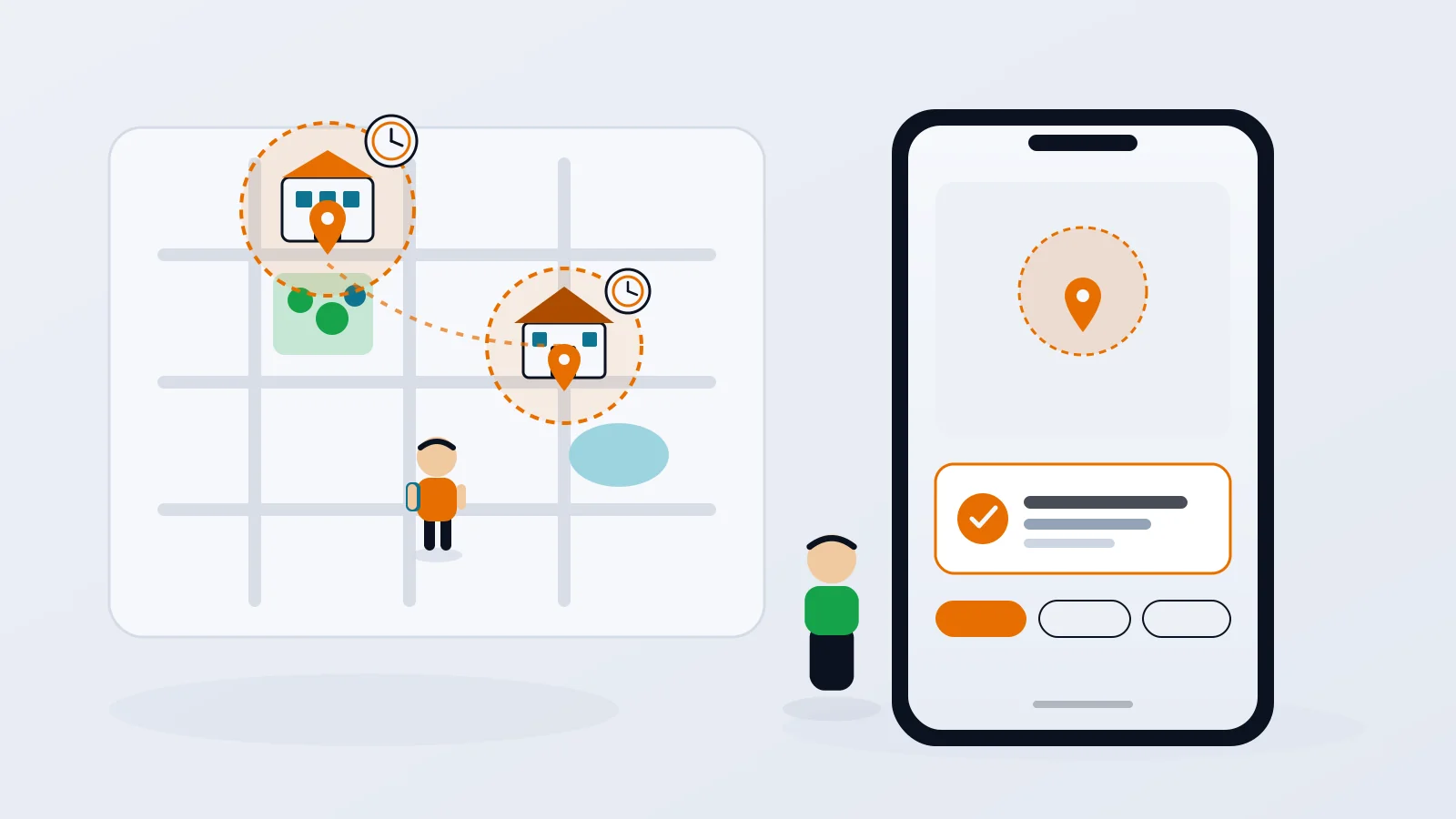
Geofence alerts for kids: how to set them up without the overload
Arrival alerts are only useful if you still read them. How to pick the right places, put each one on a schedule, and get the "she got to school" message without the noise.
· 8 min read
How to track your teen without spying
The difference between location sharing and spying isn't the app. It's whether your teen knows, agrees and can see what you see. Here's how to set it up so it holds up.
· 7 min read
What age should kids get location tracking?
There's no single right age. What matters is the first time your kid is somewhere on their own, and how you plan to dial it back as they grow.
· 7 min readMore in our family safety guides and on the blog.